
Embedded Thermometer tour
It’s time to do things differently.
Simple. One click. Integrated. Feedback.
Find out below how we embed seamlessly with 3rd party apps such as Zendesk, Salesforce and Outlook.
Embed our buttons into your favorite 3rd party applications.
Once your Thermometer template is set up, connecting our buttons with your 3rd party app is a breeze. We generate the code you need to paste into your application (and you can customise it too).
Simply paste it into the relevant part of your 3rd party application and trigger emails as you would do normally. There’s plenty of help to get you started too.
Find out about our app partners below.

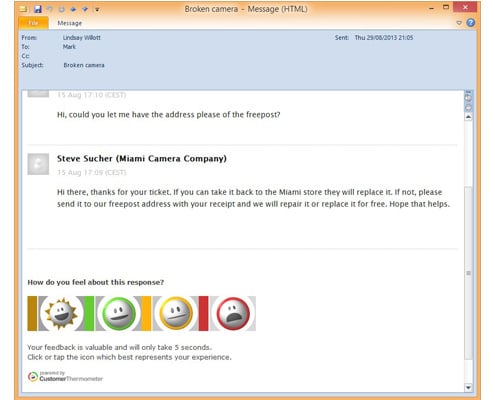
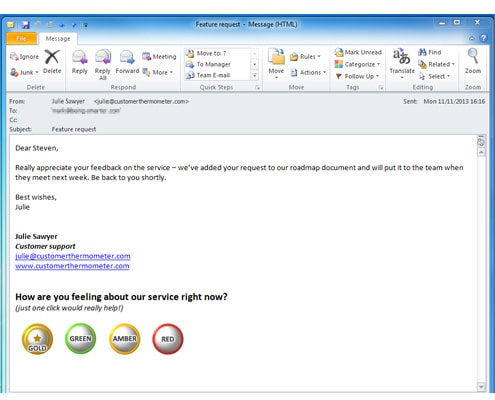
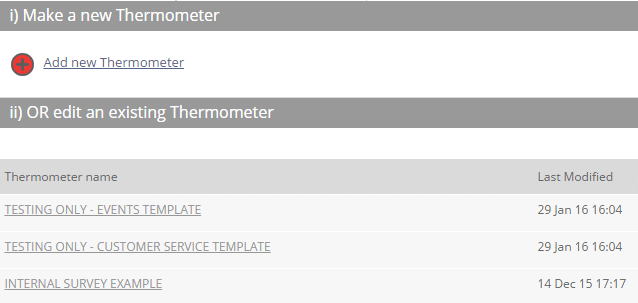
Setting up an Embedded Thermometer survey template is simple
Customer Thermometer builds your Embedded Thermometer surveys for you – you just need to customize a simple template, following our prompts.
If you can use Microsoft Word, you can use Customer Thermometer. We reckon it takes most new users 5 minutes to get the hang of it.
Start simple and we guarantee you’ll find more ways to use the tool around your business.
Embed one question within your support and CRM emails or your Outlook signature.
Why not ask your customers about how they are feeling?
It’s our favourite type of question – make your surveys human – is there a more important question to be asking your customers?
Are they happy? Are they disappointed?
It’s what you don’t know which can be so damaging.
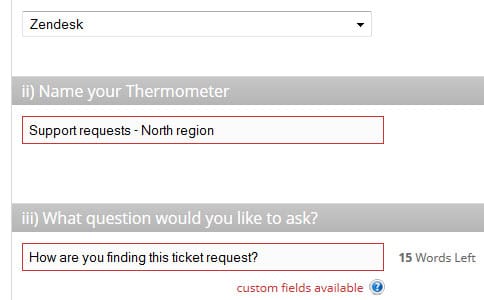
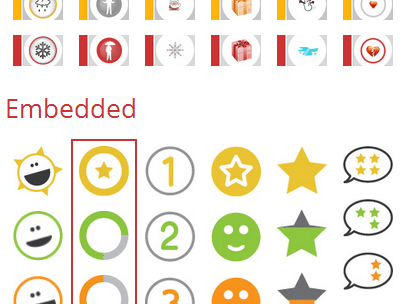
One question, 4 possible answers. Being ‘average’ isn’t an option
Choose an icon set (we add seasonal icons too). OR create and upload your own, to fit with your brand or your playfulness.
You can also select from our 1,2,3,4 number icons to ask a voting question.
Have you thought you could also this as part of your sales cycle too?
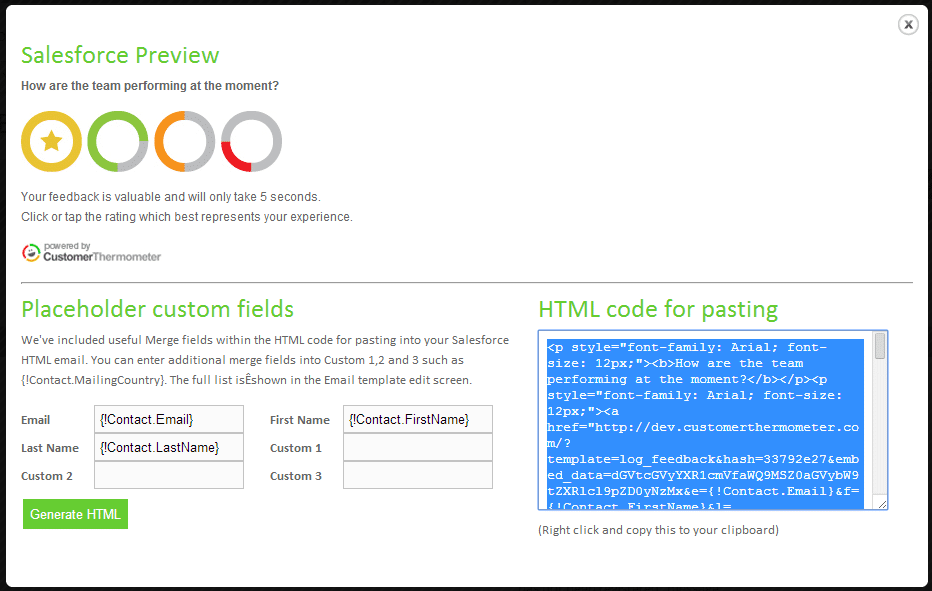
Once finished, generate your HTML code and paste into your 3rd party application
Once your Thermometer template is set up, we’ll then help you to connect our buttons with the correct variables from your 3rd party app and we will then generate the code you need to paste into your application (and you can customise it too).
Simply paste it into the relevant part of your 3rd party application and send emails as you would do normally.
Your Embedded Thermometer surveys will start delivering results for you straight away.
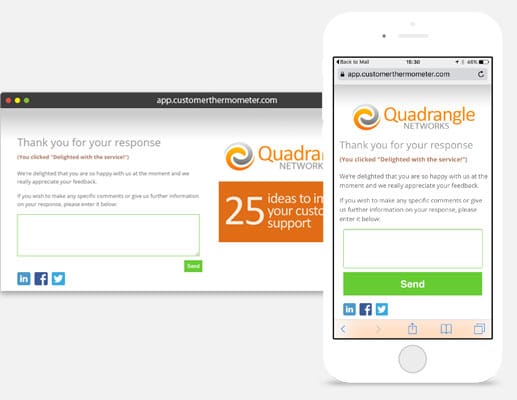
After a click (or tap), you can ask for a comment
It’s always nice to say thank you.
When your customers click their single button response in their email, they are then taken to a branded thank you page.
Here’s where your logo, a clickable advert, a customisable footer, social media links and custom thank you text go (you can set different text for each rating).
You can also add a box for your customers to leave verbatim comments.
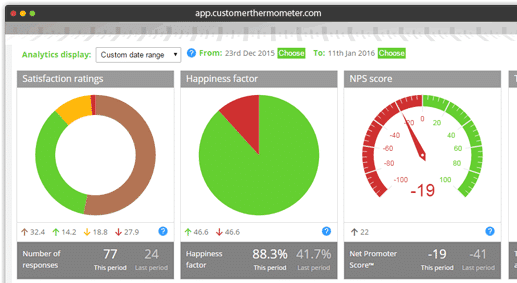
Real time reporting dashboards
We know our customers keep their dashboards open on their desktops, to watch their responses coming in – because they tell us!
The second someone opens an Email Thermometer or clicks a response – your dashboard will reflect that click.
Each set of surveys is separately reported so you can see how you and your team are doing.
Send yourself daily / weekly report snapshots by email.
Export all data to slice and dice as you need.
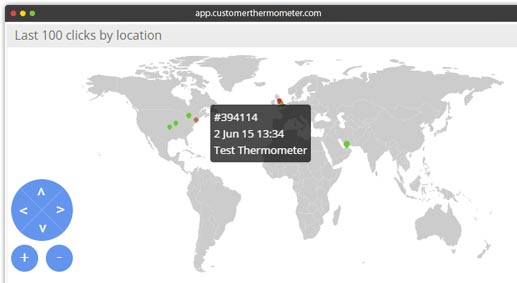
Find out where your recipients are responding
Whether your business is local or global – it’s always good to have a helicopter view.
Watch responses coming in from around the world or around your country, in real time.
See immediate trends on ratings by geography.
Warning: it makes for addictive viewing…
Measure against targets
We know how important metrics are.
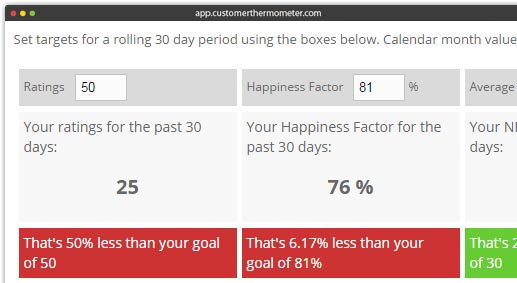
Set rolling 30 day monthly targets across 5 different KPIs and report against them in one click.
Set targets for # of ratings, Happiness Factor (%age happy) Average NetPromoterScore, Average Temperature Rating and the number of disappointed responses every 30 days.
Each calendar month’s data is store right underneath, so you can find out how you’re doing.
Use our custom fields for total personalization
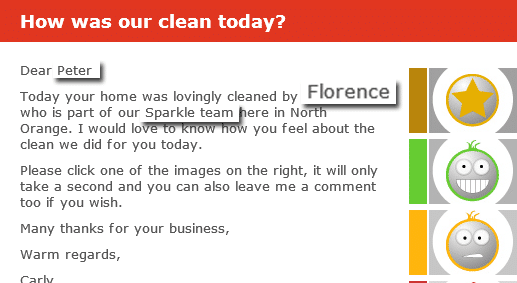
You can also add custom fields to your Thermometer template – a bit like a mail merge in MS Word.
You could ask how [ Account manager ] has been performing. The relevant Account manager’s name is then inserted in each survey.
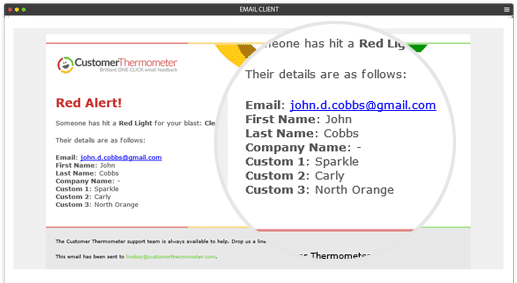
Or, you could send a red alert notification to [ Sales Manager email address ] and the relevant Sales manager, associated with that contact is then notified.
There’s plenty of help inside if you need it.
Be alerted when a customer responds
If a recipient clicks a red or yellow response, you need to know in real time. The issue can then be dealt with before it becomes even more serious.
When you set up a Thermometer, you can actually choose to be alerted via email for any type of response. Use the power of custom fields to send that alert to the right person or people in your business.
Or, choose to be alerted on your Android or iOS device.
Imagine if you were a customer, had clicked a red light on a Thermometer and got a phone call from you within an hour. That’s just what we enable.
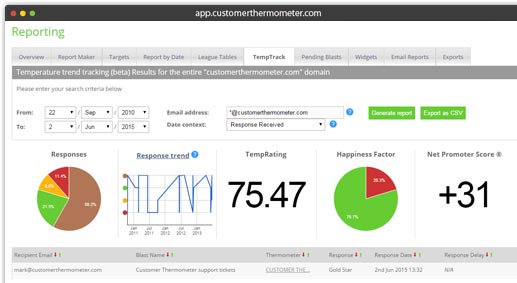
Track satisfaction by person, time, survey, territory and many more. Compare results.
Find out how your regular customers have been responding over time. Simply search for an email address or company domain to look at trends. Why not use your insights to start a conversation? How could you improve.
Compare different metrics over different time periods with our new Report Maker.
If that’s not enough – export anything you like for further analysis.
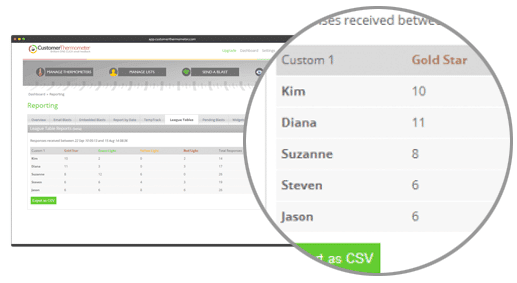
Use Customer Thermometer to measure & incentivise your staff with league tables
Find out how well your staff, agents and teams are serving your customers.
Use our custom fields to associate your teams with your customers.
In just one click – generate League Tables to create competition, train those who need help, and reward staff who are performing well.
You might be surprised at what a little competition can add to your business.
Shout it from the rooftops, with our real time results widgets
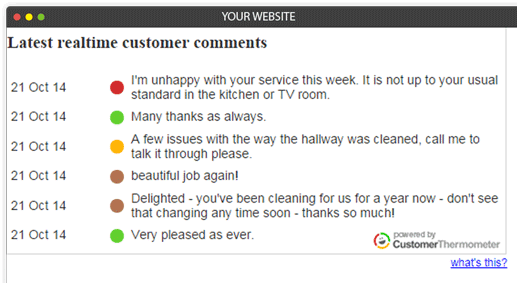
Customer Thermometer’s real time results widgets allow you to publish anonymous statistics about your survey responses on your website, internal dashboard or Facebook page.
Display a breakdown of your latest responses.
Showcase your customer happiness factor.
Publish your Net Promoter Score.
Even create a live testimonials page and publish your latest comments.
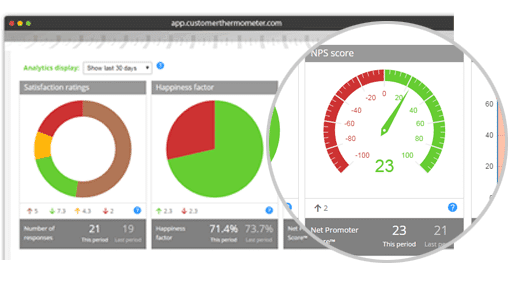
Measure and report on your Net Promoter Score™
Regardless of which survey type you’re using, when enabled, Customer Thermometer can calculate your NPS for a specific Blast or across your account.
Ask “The Ultimate Question” in one of the simplest and quickest ways around.
View your NPS changing in real time and even publish your real time score via our NPS widget.
Why not take us for a test drive?
Get an account and 10 surveys completely free below.
-
No credit card required
Once you’ve tested us out – you can upgrade and receive a Thermometer email allowance every month.
-
Fully functional account
Start sending surveys which get results, in the next 10 minutes. Customize to suit your brand and colours.
-
Be prepared for your response rate
Don’t forget to take action on all customer feedback – you might be surprised just how much you will get.