
Email Thermometer feature tour
It’s time to do things differently.
Send your customers a one click Email Thermometer.
Build it in under 10 minutes – no developers or designers required.
Simple. One click. Feedback. Without the pain.
Keep reading to find out more.
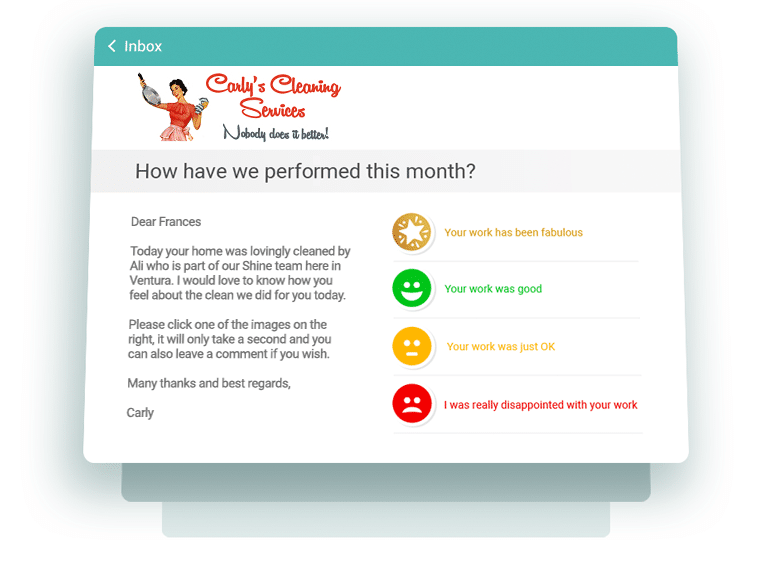
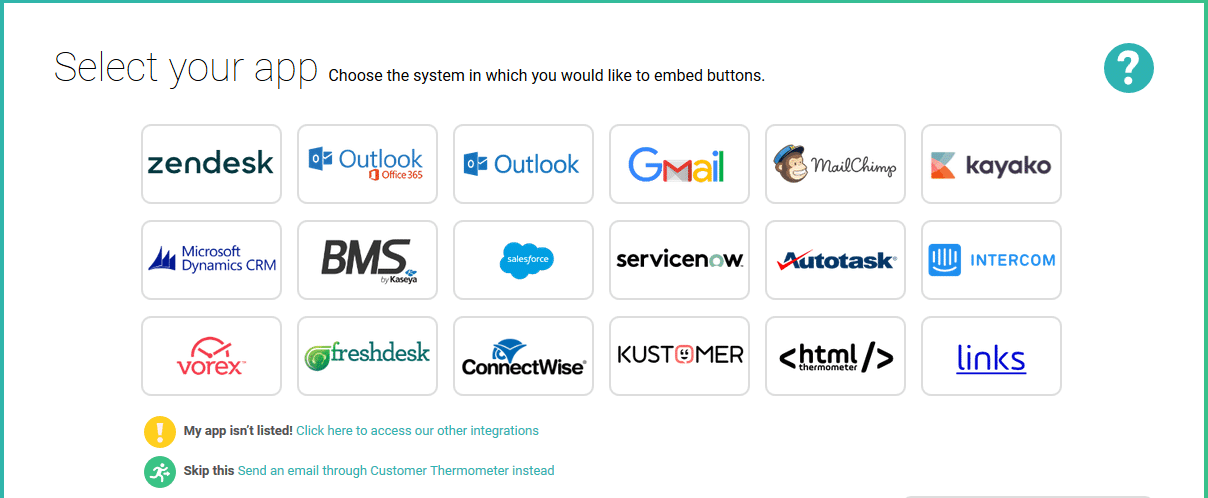
Setting up an email survey template is simple
The service builds your Thermometer emails for you – you just need to customise a simple template, following our prompts.
To give you a headstart, there are three templates preloaded when you get started.
If you can use MS Word, you can use Customer Thermometer. We reckon it takes most new users 5 minutes to get the hang of it.
Ask one question in each Email Thermometer
Why not ask your customers how they are feeling?
It’s our favourite type of question – make your surveys human – is there a more important question to be asking your customers?
Are they happy? Are they disappointed?
It’s what you don’t know which can be so damaging.
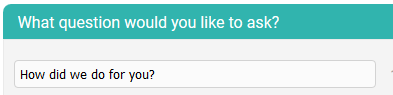
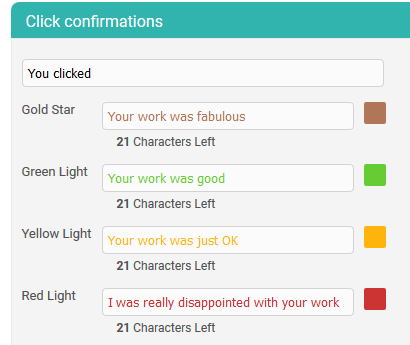
One question, 4 possible answers. Being ‘average’ isn’t an option
Choose an icon set (we add seasonal icons too) or upload your own icons to perfectly suit your brand and color palette.
You then need to define your 4 possible answers … Leave one or two blank and only two or three will show.
You can also use our 1,2,3,4 number icons to ask a voting question.
Use our custom fields for total personalization
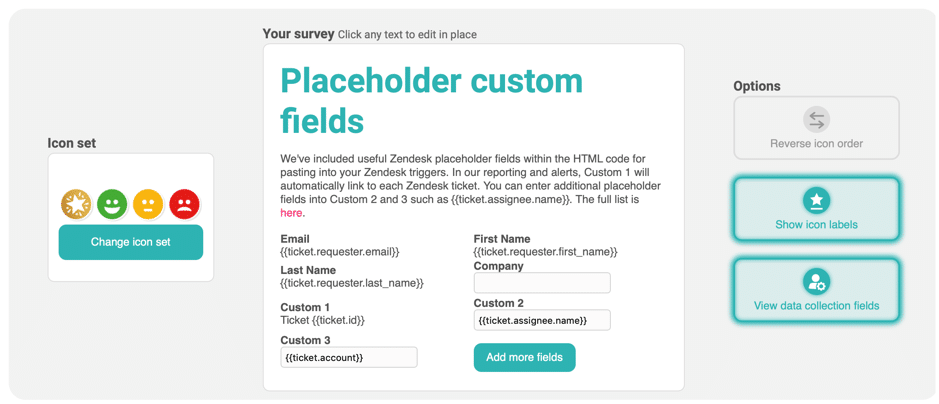
You can also add custom fields to your Thermometer template – a bit like a mail merge in MS Word.
You could ask how [ Account manager ] has been performing. The relevant Account manager’s name is then inserted in each survey.
Or, you could send a red alert notification to [ Sales Manager email address ] and the relevant Sales manager, associated with that contact is then notified.
There’s plenty of help inside if you need it.
After a click, you can ask for a comment
It’s always nice to say thank you.
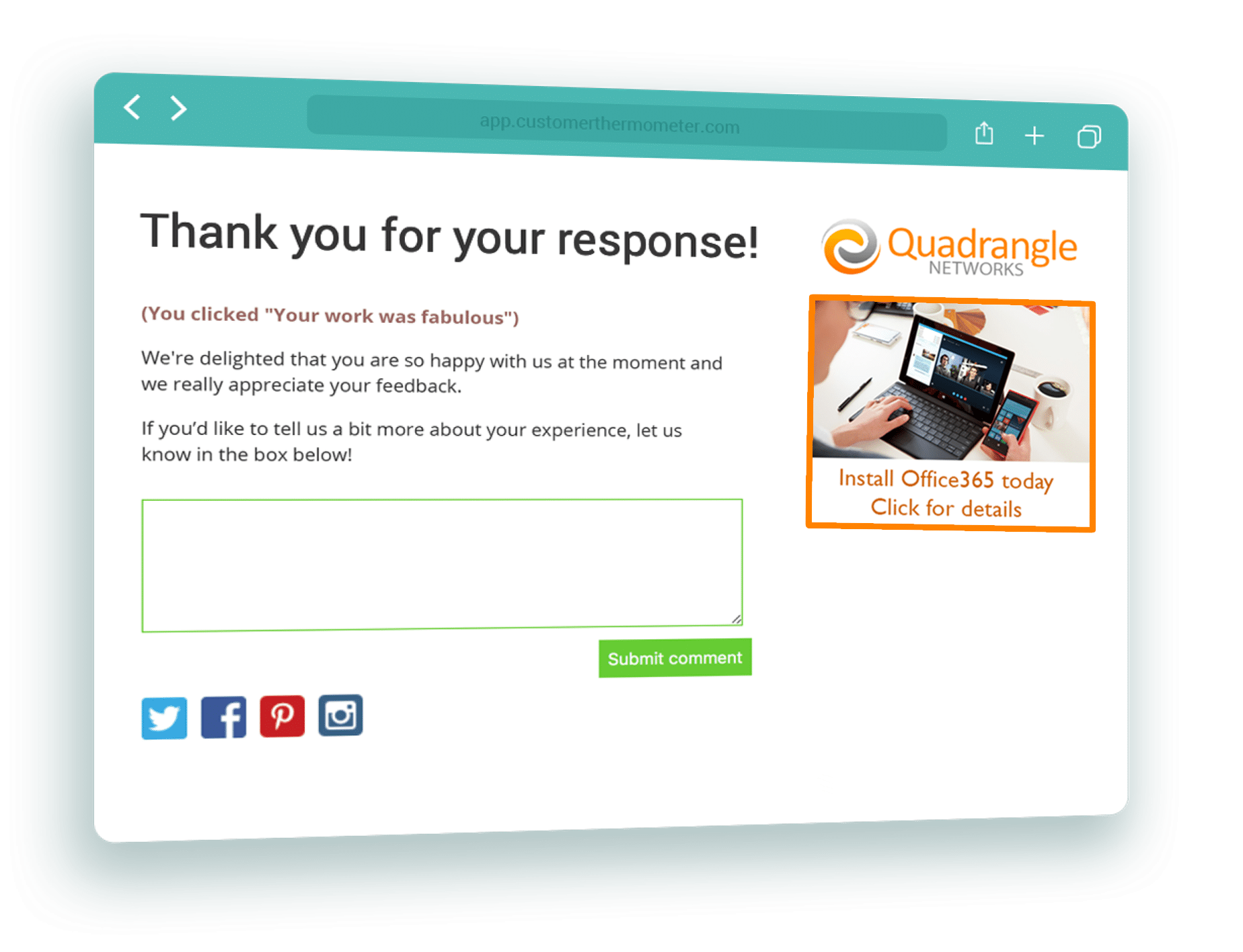
When your customers click their single button response in their email, they are then taken to a branded thank you page.
Here’s where your logo, a clickable advert, a customisable footer, social media links and custom thank you text go (you can set different text for each rating).
You can also add a box for your customers to leave verbatim comments.
Sit back and enjoy receiving actionable customer feedback
Our email surveys (like some others) aren’t anonymous.
Customer Thermometer’s mission is to let you know which of your customers are happy or disappointed at any point in time.
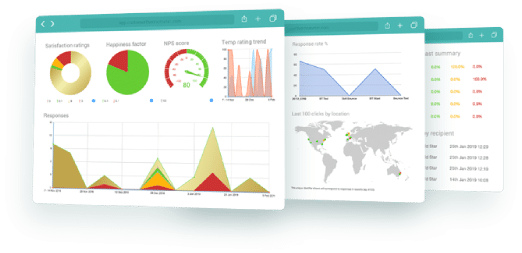
Watch your results build up in real time – and when someone leaves a comment – you’ll see the comment symbol. You can also delete a response if someone has made a mistake and ask them to click again.
Be alerted when a customer is unhappy
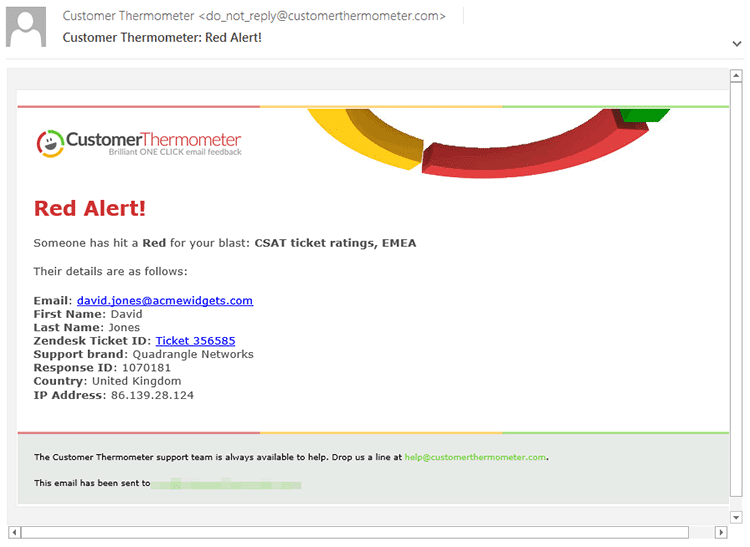
If a recipient clicks a red or yellow response, you need to know in real time. The issue can be dealt with before it becomes even more serious.
When you set up a Thermometer, choose to be alerted via email for either red OR red and yellow clicks. Use the power of custom fields to send that alert to the right person or people in your business.
Or, choose to be alerted on your Android or iOS device.
Imagine if you were a customer, had clicked a red light on a Thermometer and got a phone call from you within an hour. That’s what CT lets you do.
Track satisfaction by person, time, survey, territory and many more. Compare results.
Find out how your regular customers have been responding over time. Simply search for an email address or company domain to look at trends. Why not use your insights to start a conversation? How could you improve.
Compare different metrics over different time periods with our new Report Maker.
If that’s not enough – export anything you like for further analysis.
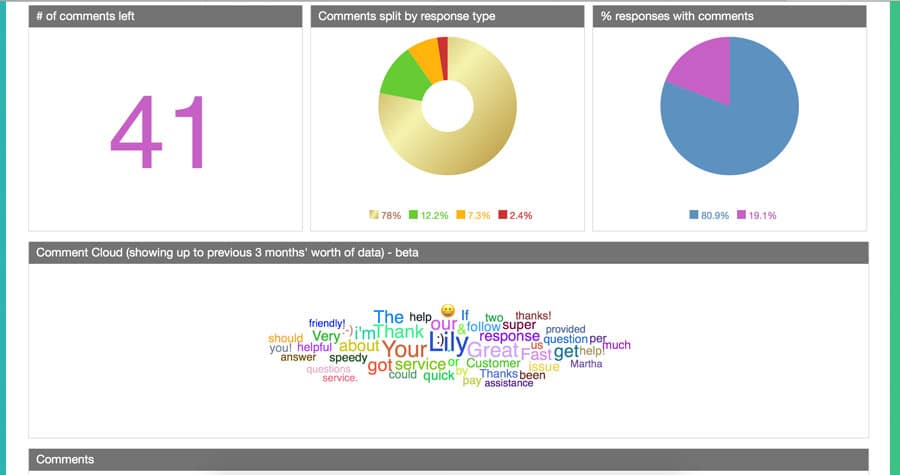
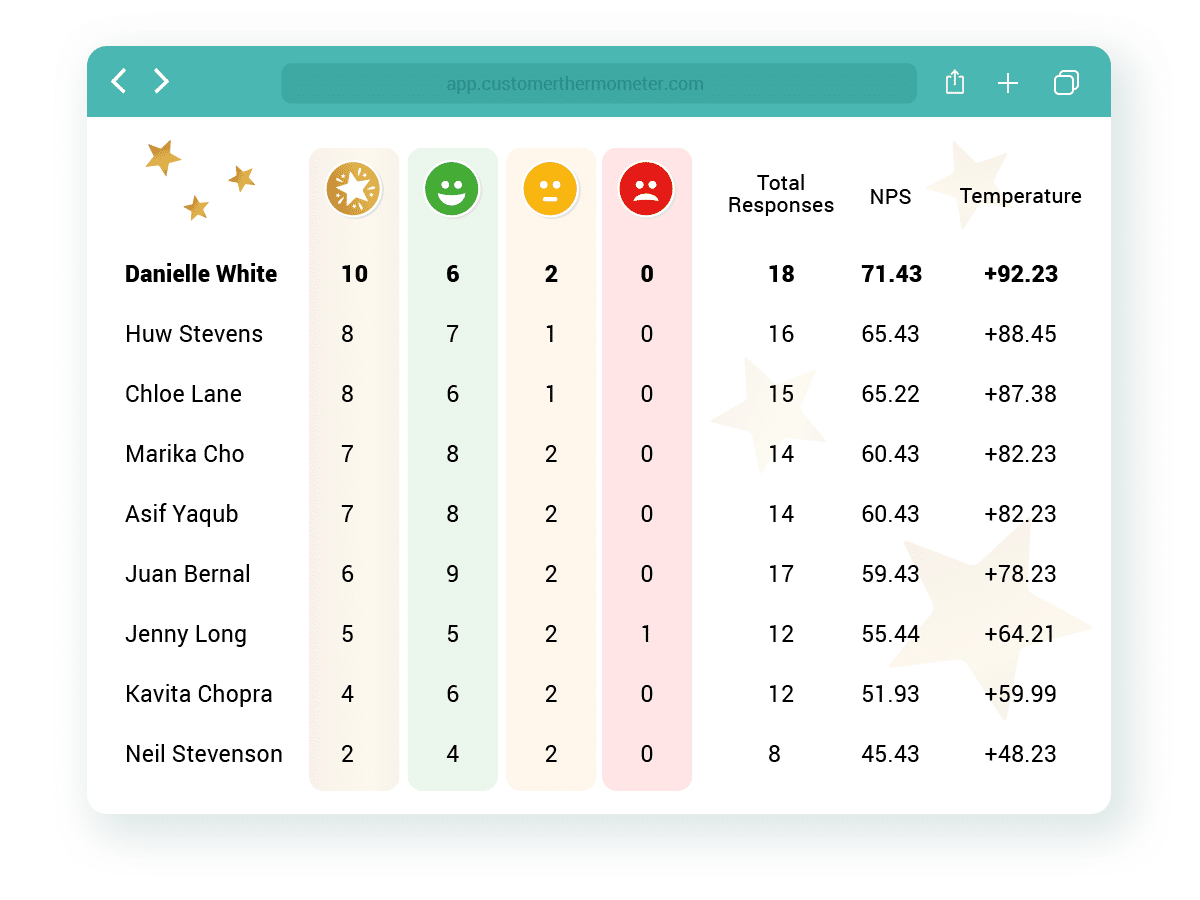
Use Customer Thermometer to measure & incentivise your staff with league tables
Find out how well your staff, agents and teams are serving your customers.
Use our custom fields to associate your teams with your customers.
In just one click – generate League Tables to create competition, train those who need help, and reward staff who are performing well.
You might be surprised at what a little competition can add to your business.
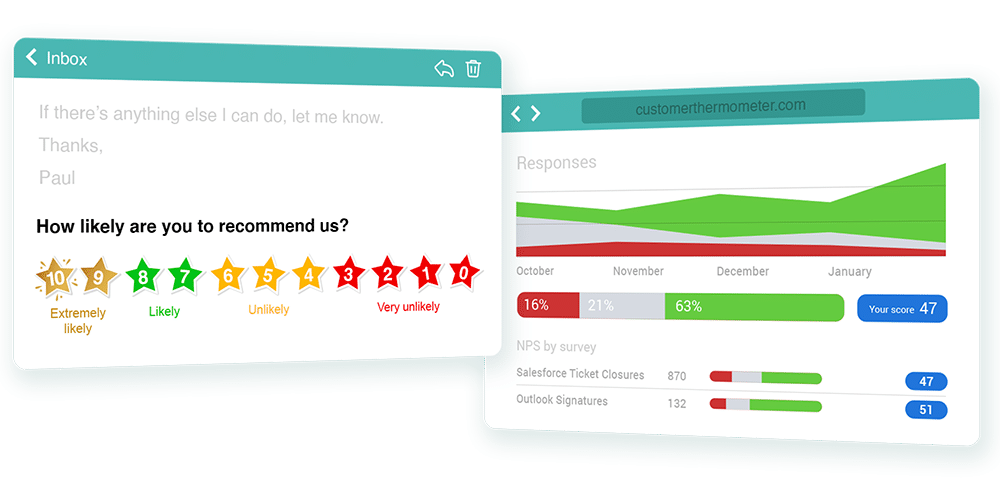
Measure and report on your Net Promoter Score™
Regardless of which survey type you’re using, when enabled, Customer Thermometer can calculate your NPS for a specific Blast or across your account.
Ask “The Ultimate Question” in one of the simplest and quickest ways around.
View your NPS changing in real time and even publish your real time score via our NPS widget.
Why not take us for a test drive?
Get an account and 10 surveys completely free below.
-
No credit card required
Once you’ve tested us out, upgrade and receive a monthly credit allowance.
-
Fully functional account
Start sending surveys which get results, in the next 10 minutes.
-
Be prepared for your response rate
Take action on all your feedback – you might be surprised just how much you will get.