
Trigger 1-click satisfaction surveys from your Administrate account
Find out how your training course went

Integration instructions
Already an Administrate account holder and want to find out how to send a survey to your course delegates?
Get startedCheck out our features
Spend a couple of minutes finding out how it could change your business.
Take the tourWhy use Customer Thermometer with Administrate:
- Trigger 1-click course feedback emails coming from Administrate, in your own style, language and character set
- Customise your rating buttons, or even use your own. The second your customer clicks a button, their feedback is registered.
- Trigger the rating buttons to appear at any point in the booking, training and follow-up process
- Choose from 2, 3 or 4 buttons for your customers to respond to. So it’s not just “good or bad”
- Customise the landing page that thanks them for their rating with your own logo and copy, and ask for additional comments (optional)
- Be alerted to “red” and “yellow” ratings via email and/or iPhone/Android alert
- View a list of all comments associated with the satisfaction ratings your customers have made for export, to share with colleagues
- Customer Thermometer allows you to add this function to the ‘Plus’ or ‘Enterprise’ Administrate account level
- Only one Customer Thermometer account is needed, for your Administrate subscription

The 1-click customer satisfaction survey for Administrate.
(The days of 20 question forms are over)

Respect your customers’ time
Your course delegate clicks or taps a single icon on an email. They then get back to what they were doing. The days of 20 questions are over.
Let them respond on any device
An Administrate course completion email arrives… your customer can click their satisfaction rating wherever they are. Customer Thermometer works on all devices.
Making it simple to give feedback
Your customers want to give feedback – both good and bad. Embedding Thermometers in your Administrate emails gives them a simple mechanism to help them to help you.
Real time, non-intrusive customer feedback. Send 000’s … and only pay for what’s clicked.
No more anonymous feedback
With Customer Thermometer, you can now respond to individuals and take appropriate action.
If there’s a problem, intercept it early. Maybe you need to involve the CEO? Or, maybe it’s time to reward the account team.
Monitor Customer Happiness Factor
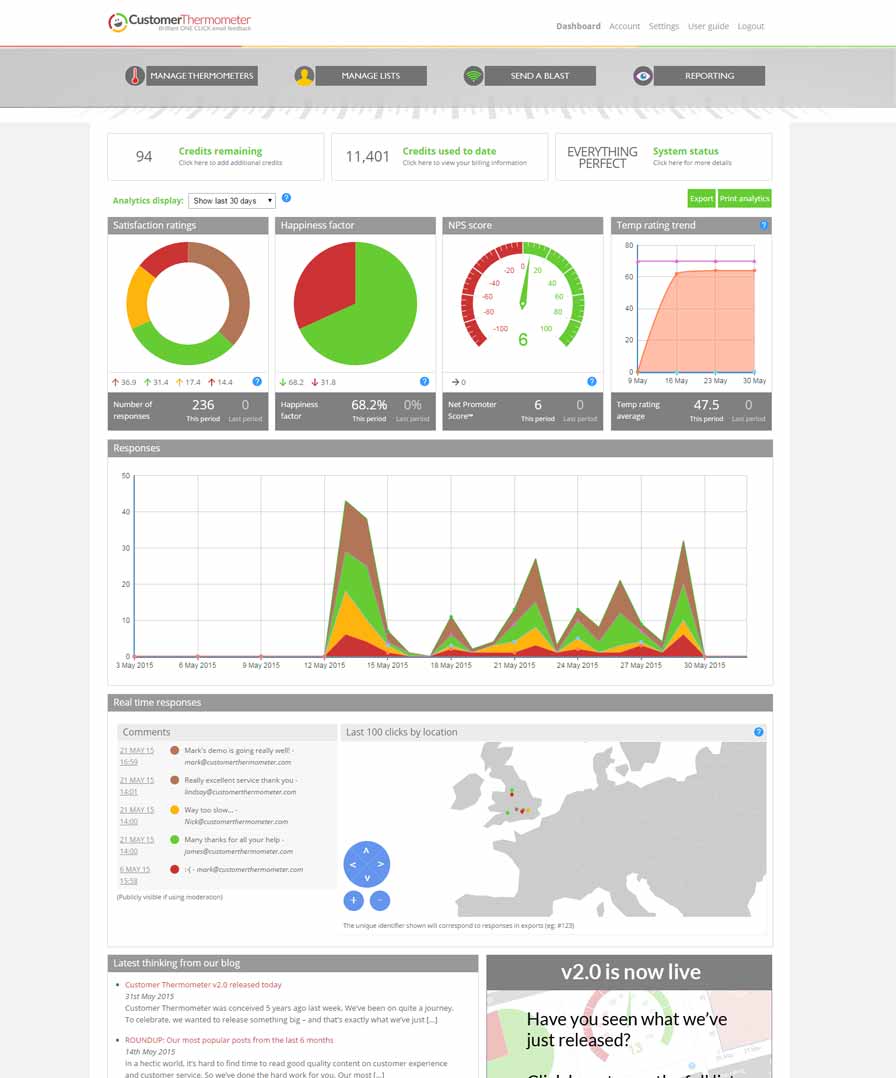
Our reporting area provides you with your Customer Happiness Factor. Are they happy or disappointed?
Four possible responses is deliberate. Clicking 5/10 or ‘average’ tells you nothing.
Branded and simple to integrate
No coding or designers required. Ask your customers any question you want, customize your thank you pages to suit your brand and your tone of voice.
Copy and paste the code generated into the triggers section of your Zendesk account.
Industry leading response rates
Customer satisfaction survey average response rates have been quoted as low as 5% .
With Customer Thermometer, surveys take as long to delete as they do to answer. As a result, we know of customers getting 80% response rates…
“Every client you keep, is one less that you need to find” – Nigel Sanders
Integration instructions
Already an Administrate account holder and want to find out how to send Customer Thermometer surveys?
Get startedLike to find out more?
Spend a couple of minutes finding out how it could change your business.
Take the tour