
Managing contacts & lists
Who will you send your Thermometer surveys to?
We’ve had customers sending blasts of 10,000 Thermometer emails at a time to their customers.
Some only send 1 at a time.
Some customers even automate sending their surveys via a 3rd party app.
The beauty of Customer Thermometer is that the system works for you, however you need to use it.

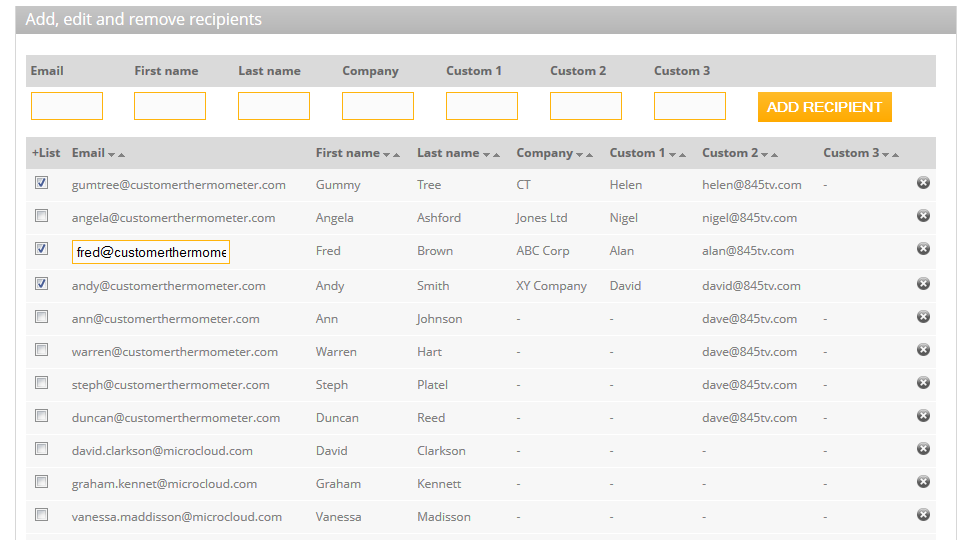
Managing your contact lists is straight forward
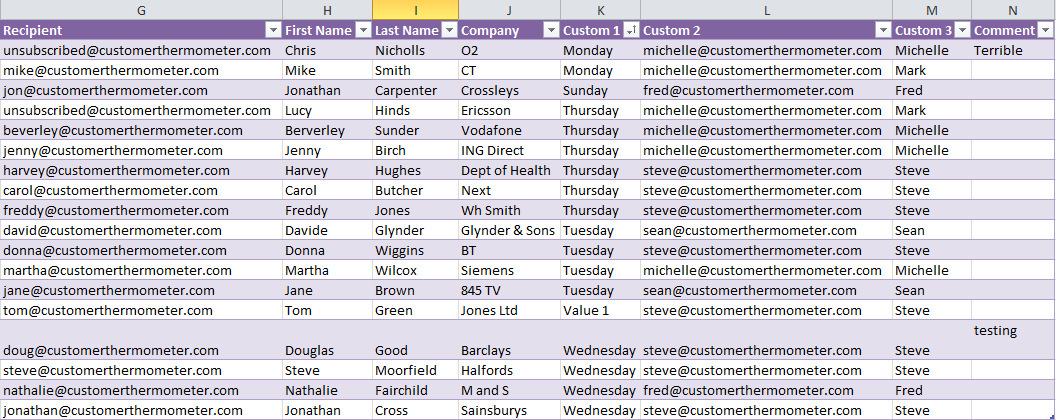
Either type or paste your contact data into the relevant boxes, or more commonly, import via a CSV file – which can easily be created in Excel using the template provided.
We also allow you to add custom fields such as department or city, so that you can filter your results more meaningfully.
We know that contact data changes – account managers change, contacts move companies.
We’ve therefore made it straight forward to edit your contacts by introducing inline editing. Simply click on a contact field and make your edit. Clicking away from the field saves your data immediately.
Create new lists of contacts from your master list
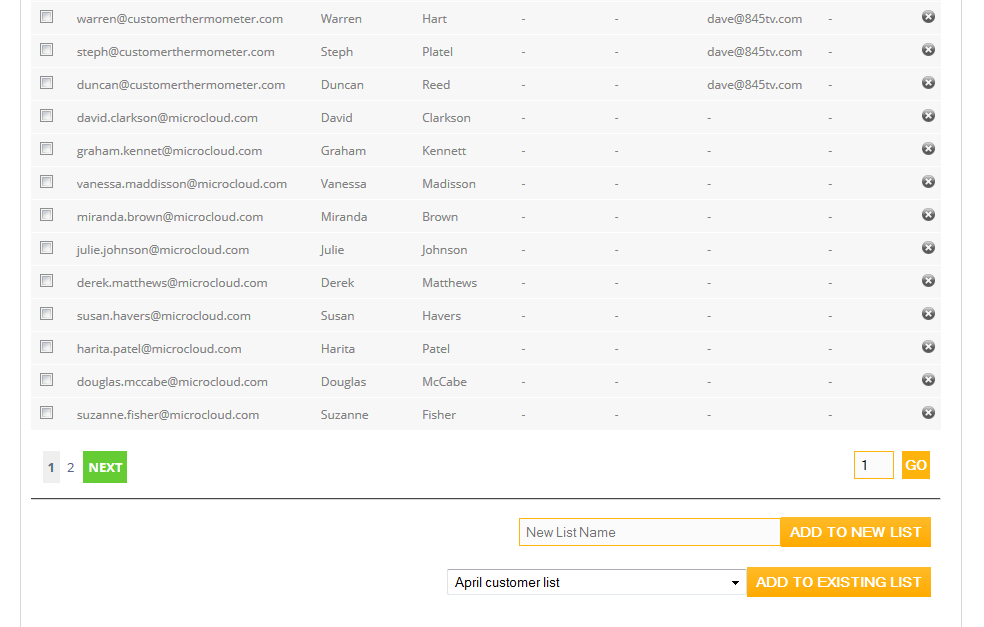
All of your contacts from all of your lists are consolidated into a single master list – so that you can recreate new lists or add contacts to existing ones by selecting from the master list.
Deleting contacts is straight forward, which will delete them from all lists, whilst retaining their reporting data.
Use the power of custom fields to learn more from your responses
Many of our customers add additional data to their contact lists.
For example, add a region, account manager and status to a contact (in addition to their email address, first name, last name and company).
This means you can then sort your results by category to give you even more insight.
Also, use custom fields for an even more personal approach
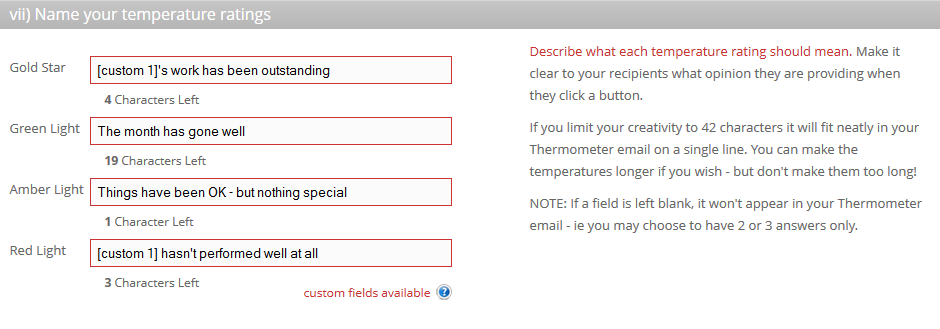
You can also add custom fields to your Thermometer template – a bit like a mail merge in MS Word.
You could ask how [Account manager] has been performing. Depending on who receives the Thermometer, the relevant Account manager’s name is inserted.
Or, you could send a red alert notification to [Sales Manager email address] and the relevant Sales manager, associated with that contact is then notified.
There’s plenty of help inside if you need it.
Ready to get started?
In just 30 seconds you could be sending Thermometers to your customers for free.
Get started nowOr, continue the tour
NEXT: Real time alertsOverview
Want to get an overview of the service? Here we show the process, without the detail.
Reporting
Our surveys are most definitely NOT anonymous. Take a look at our comprehensive reporting section.
Real time notifications
We alert you if your customers click red or amber lights or leave a comment. Find out how create email or iOS/Android alerts.
Advanced features
For more advanced users, Customer Thermometer has real depth. We thrive though, on keeping things simple.
Branding & customisation
We know how important your brand and tone of voice is to a business. In this section, we explain how to customise your service.
3rd party apps & API
The world is becoming more connected and we can integrate with 3rd party apps. Find out how and download our API documentation.